

Power/volume button
Here are all the steps to follow to repair the power button on your Fabli!
Required tools
- Small Phillips screwdriver
- Small pot to hold screws and other small parts to be removed
Instructions
1. Using a small Phillips screwdriver, unscrew all screws on the back of the Fabli.
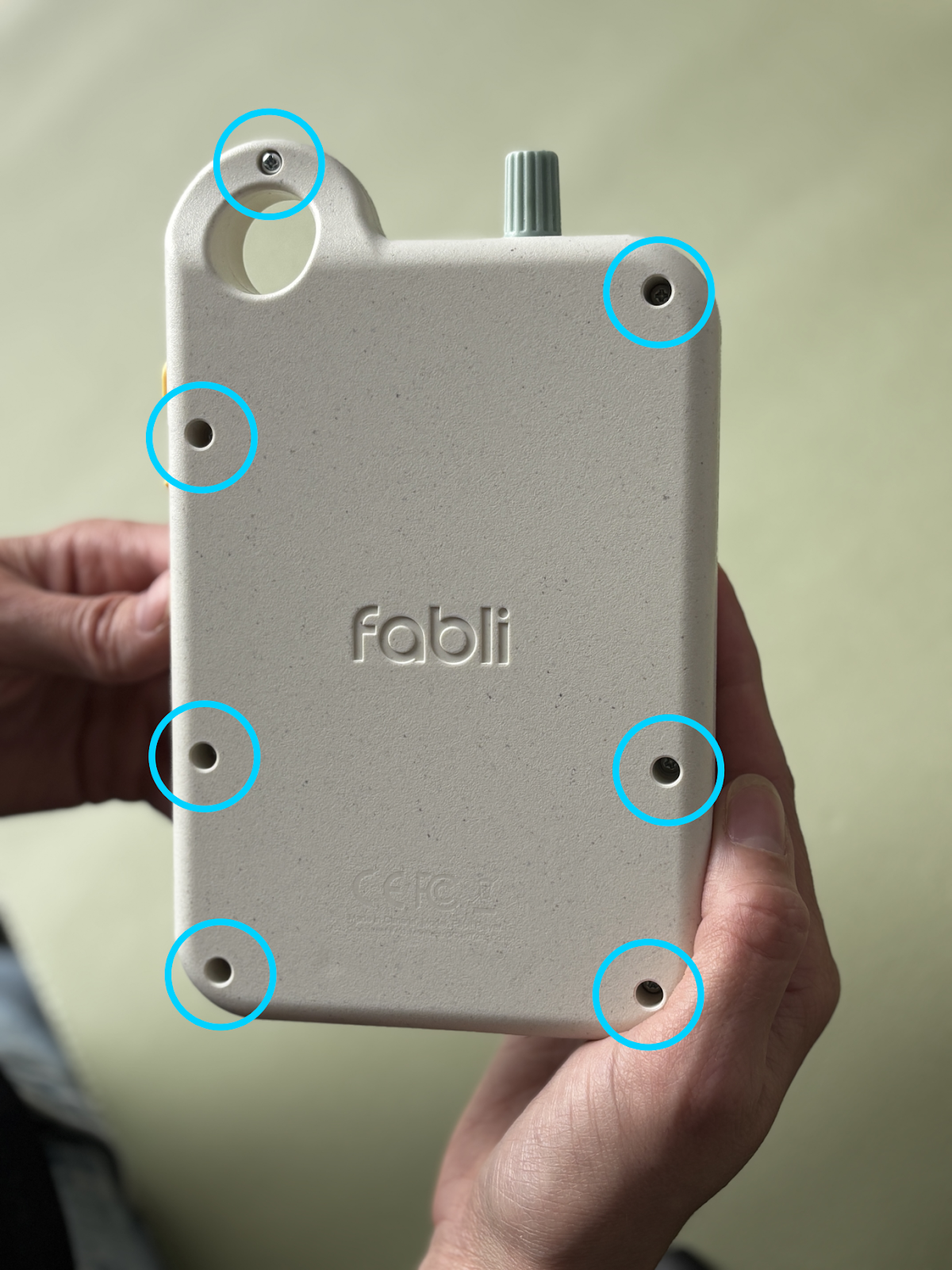
2. Place the Fabli on a table with the buttons facing down and remove the back part of the shell.
3. Remove the yellow side buttons from the Fabli.
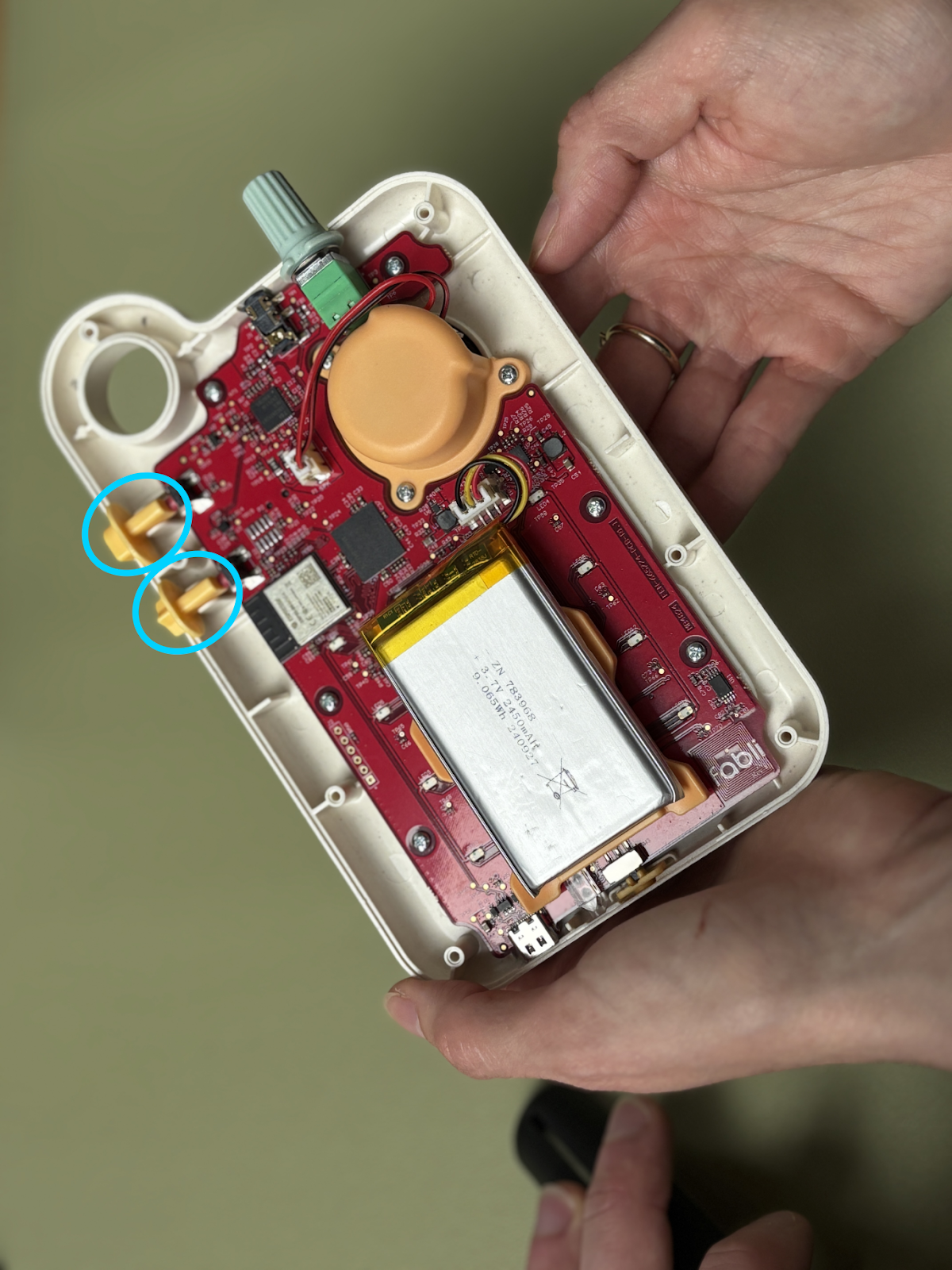
NOTE: In the following photos, the battery and speaker are disconnected. DO NOT DISCONNECT THE SPEAKER OR BATTERY. This is not necessary for this repair and may damage the Fabli.
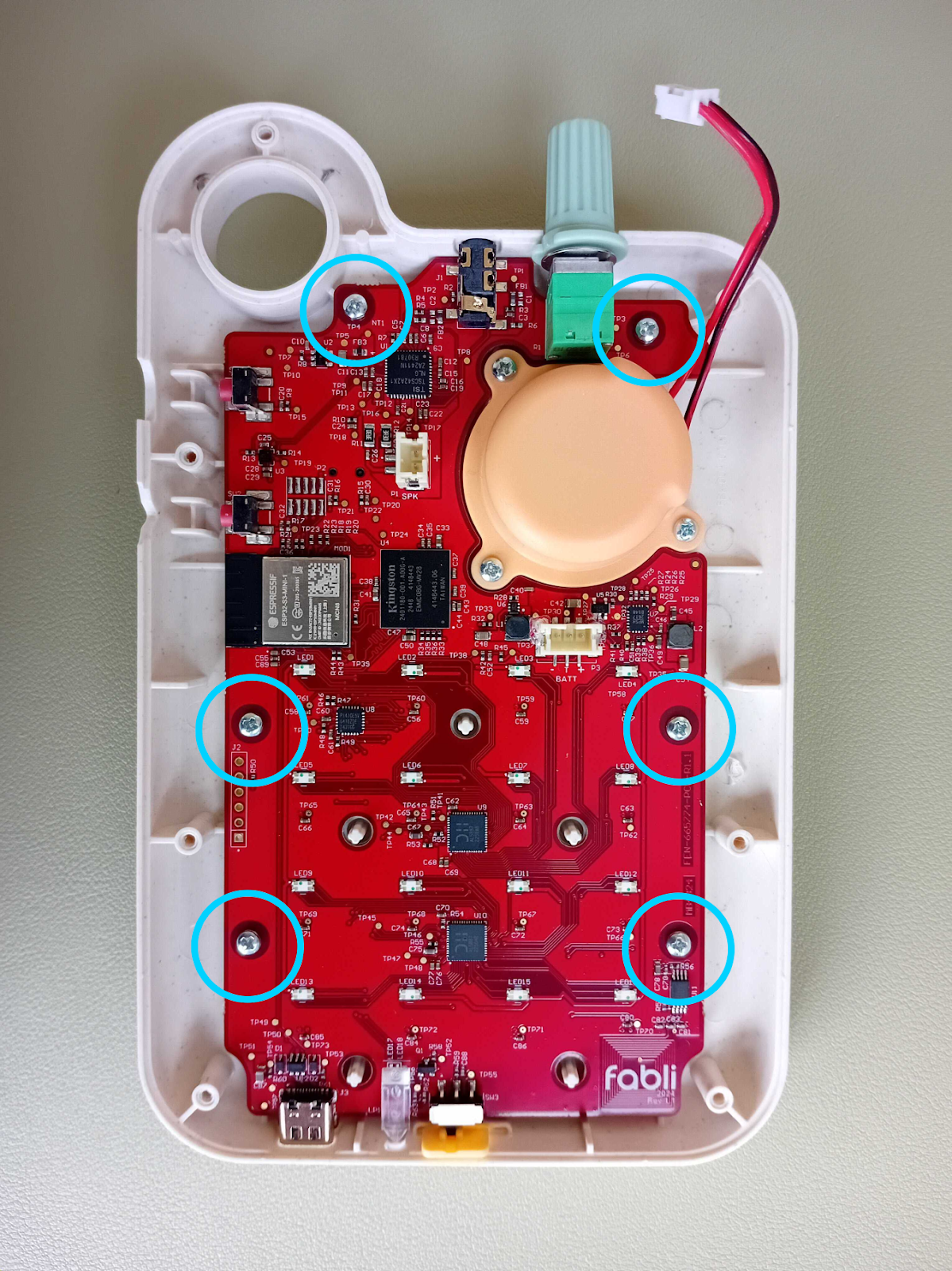
4. Unscrew the screws circled here. Note that it is not necessary to unscrew the screws around the speaker.
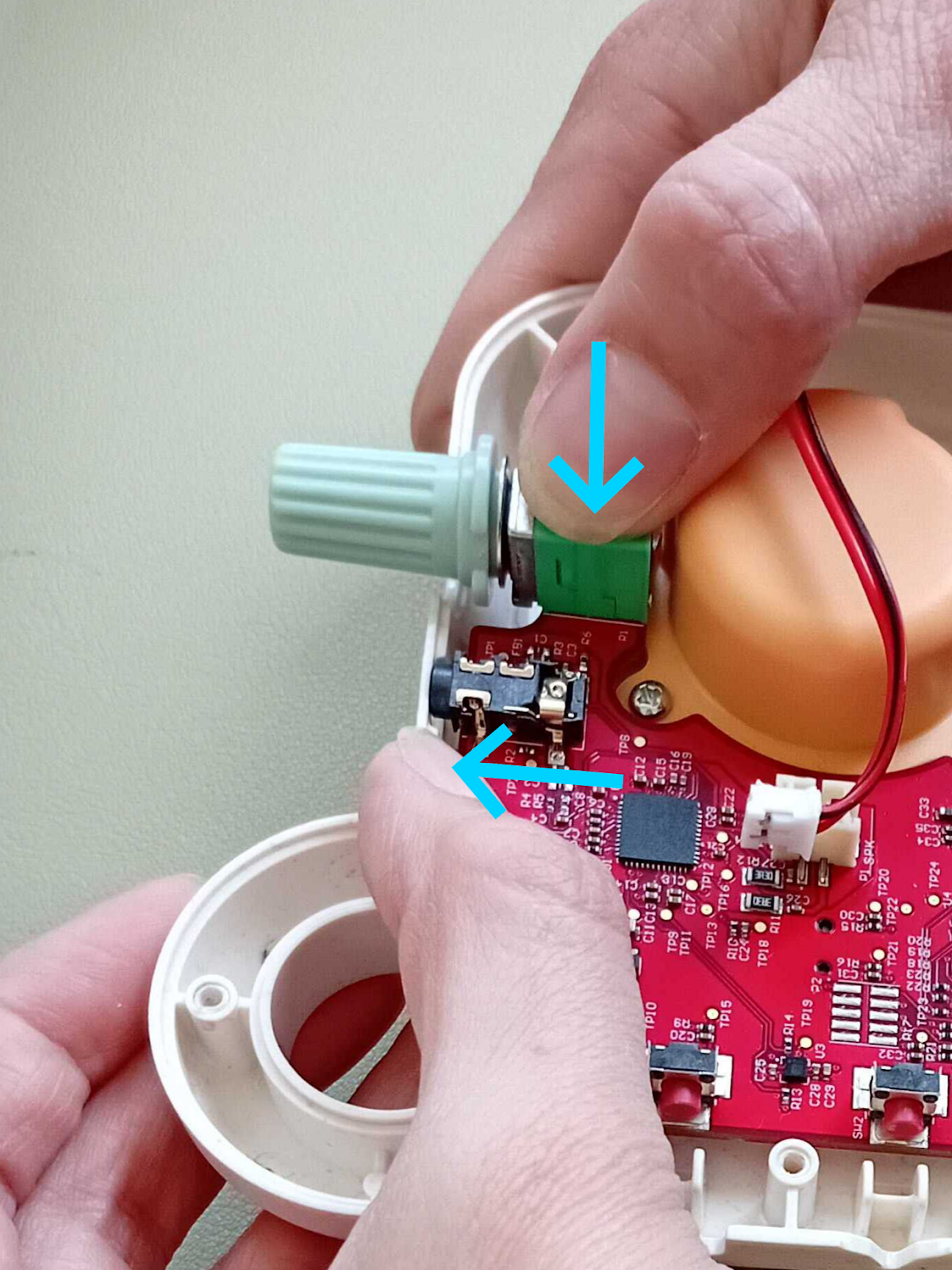
5. Now it's time to slightly pull the top part of the Fabli's electronic circuit out of the shell.
5.1 Push firmly on the top of the switch with your index finger and push in the opposite direction on the rim of the shell with your thumb.

5.2 While maintaining pressure, push upwards with your index finger until the audio jack (circled below) pops out of its socket and the green switch cap can be removed. Do not lift the circuit board higher than necessary.

6. Place the new cap on the switch.
7. Turn the switch and apply moderate pressure at the maximum and minimum rotations to ensure the cap is securely in place.
8. Press the Fabli shell and switch base as shown to reattach the Fabli circuit board. The Fabli is in place when the audio jack tip is back in its socket (see step 5.1).
9. Tighten the 6 circuit board screws. If you have longer and shorter screws, the circuit board screws are the shortest.
10. Replace the battery by positioning the bracket's tabs over the small protrusions that pass through the circuit board.
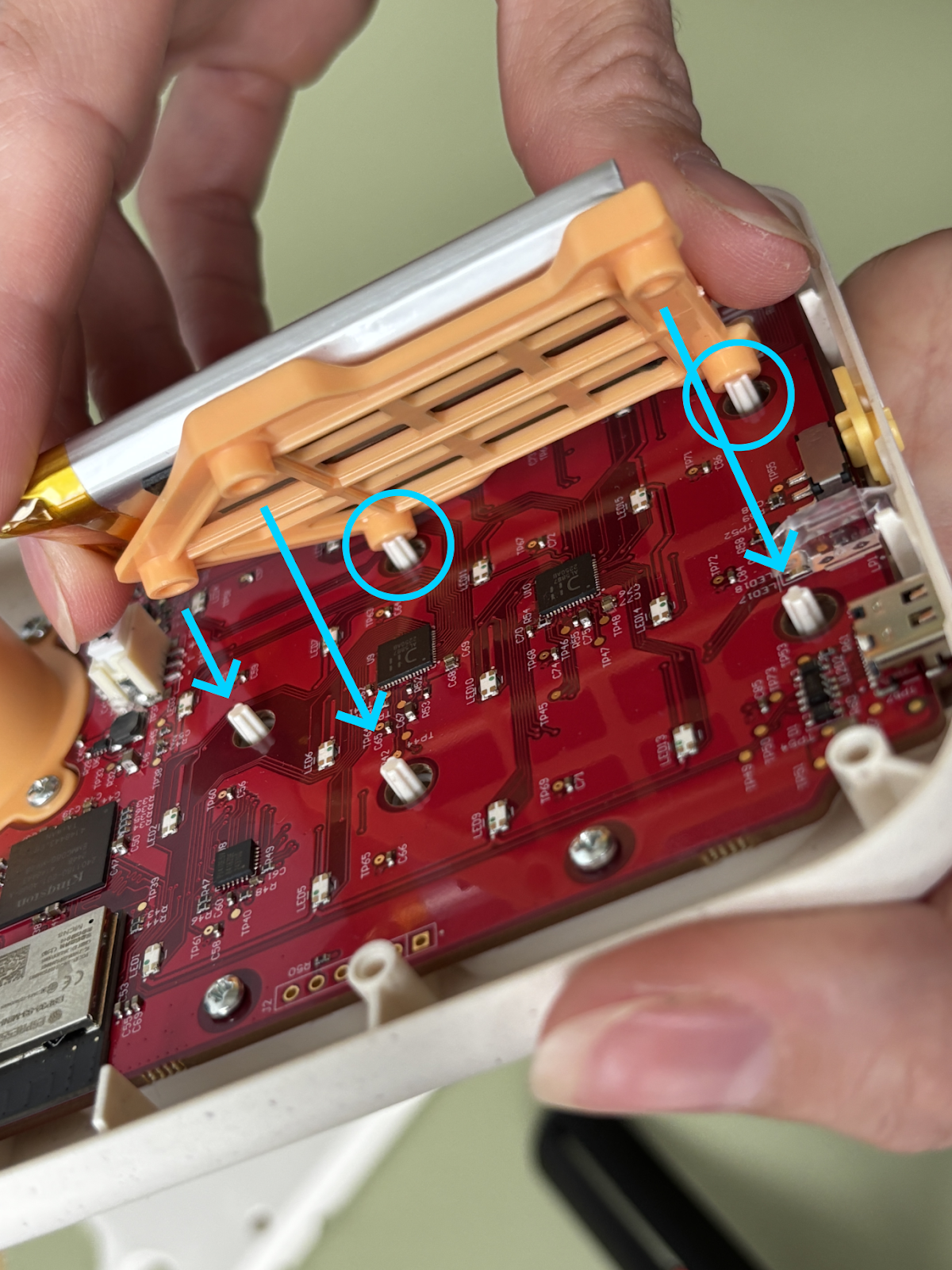
11. Replace the buttons as shown.


12. It's time to close the shell! Make sure the top of the WIFI/Bluetooth switch fits inside its slot and align the back of the shell with the front, then close it. The edges of the shells should fit together without resistance. If it can't be closed without forcing, remove the back and make sure nothing is blocking it. In particular, make sure the speaker cable runs between the switch and the speaker itself; the speaker cable should not run directly over it (see step 3).

13. Screw the screws back into the back of the Fabli's shell and voilà! The repair is done!
WARNING: Never open and attempt to repair your Fabli without clear instructions from our team. Unauthorized repairs will automatically void the warranty.